Appearance
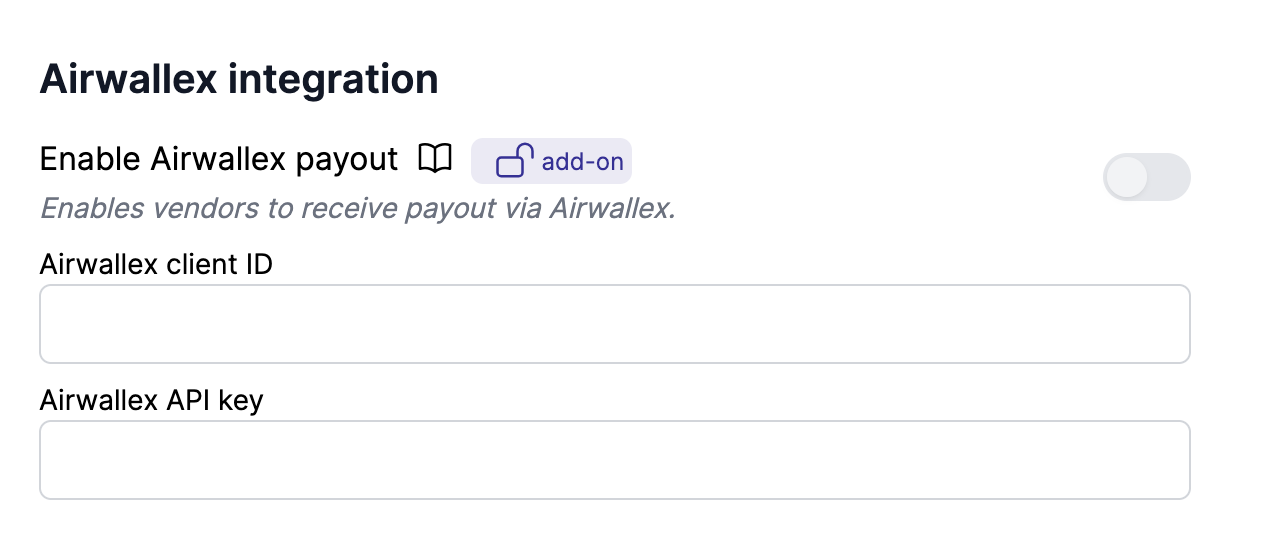
Airwallex integration
Work in progress
This page is under construction. Contact us if you need help setting up Airwallex.
Create an API key
- Log in to your Airwallex account
- Go to
Settings > Developer(direct link) - Click
Manage API keys - Click
New scoped API key - Name the API key
Garnet Marketplace - Under
Account permissions > Accounts, select your account - Enable the following permissions:
| Section | Resource | Access | Purpose |
|---|---|---|---|
| Scale | Connected Accounts | Read + Write | Create and manage vendor accounts |
| Account Capabilities | Embedded Components - KYB | Write | Vendor KYC/KYB verification |
| Account Capabilities | Embedded Components - Onboarding | Write | Vendor onboarding flow |
| Scale | Transfers | Read + Write | Transfer funds to connected accounts |
| Payouts | Beneficiaries | Read + Write | Create and verify vendor bank accounts |
| Payouts | Transfers | Read + Write | Execute payouts to vendors and check status |
| Webhooks | Webhooks | Read + Write | Receive event notifications |
See the full list of available scopes for more details.
- Once the API key is created, copy the
Client IDandAPI key - In Garnet, go to
Admin Panel > Settings > Airwallex integrationand paste them: